Environments that used to sit still now shift constantly. Weather rolls in, doors get kicked open, a wall comes down mid-fight, and every one of those changes used to mean a lighting rebuild. Baked lighting worked fine when levels were static, but it turns into a bottleneck the moment a team wants a world that reacts.
Unreal Engine’s Lumen was built to remove that bottleneck by calculating indirect light and reflections dynamically as the scene changes. For teams building day-night cycles, destructible spaces, or reflective materials that need to hold up under different lighting, that shift changes how art and lighting work actually gets done.
Let’s take a look at what this system is and how it works in games.
What is Lumen?
Lumen is UE5’s fully dynamic global illumination and reflections system, enabled by default in new projects.
It handles two related problems:
- Global illumination, meaning indirect light such as sunlight bouncing off a red wall and tinting a nearby white surface;
- Reflections, covering how light behaves on glass, water, wet pavement, and polished metal.
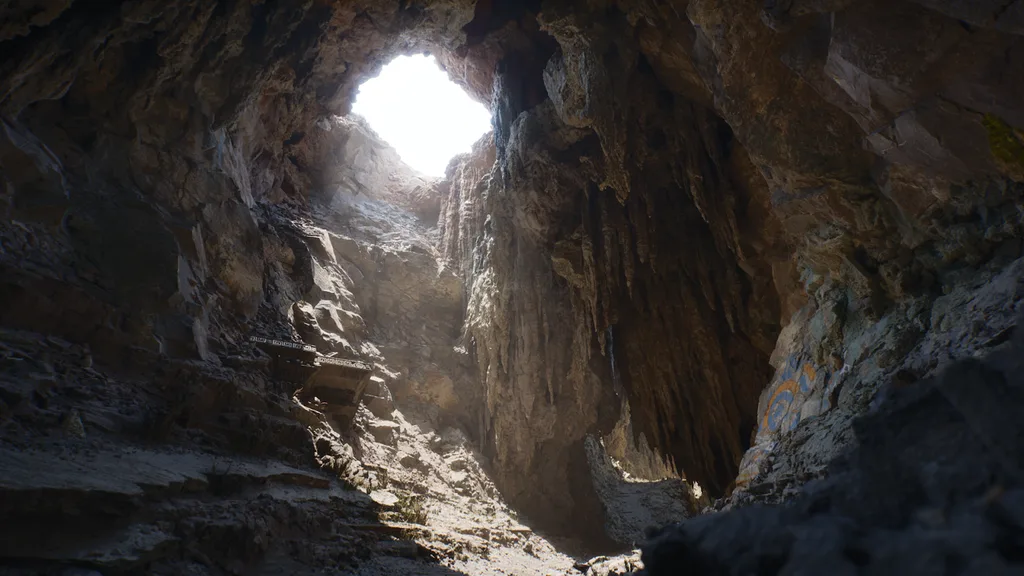
What sets Lumen lighting apart from older workflows is that it reacts to changes in lights, materials, geometry, and emissive surfaces without a separate rebake for every scenario.
Picture a stealth level: a player shoots out a light, kicks open a door to daylight, or triggers an explosion. With Lumen, the indirect light and reflections update to match, so the scene keeps its visual logic without a lighting artist pre-baking every possible state.
One clarification matters here: Lumen doesn’t run on a single method.
It supports both software and hardware ray tracing paths, and which one a project uses depends on target hardware and the performance budget available.
How UE5 Lumen renders light in real time
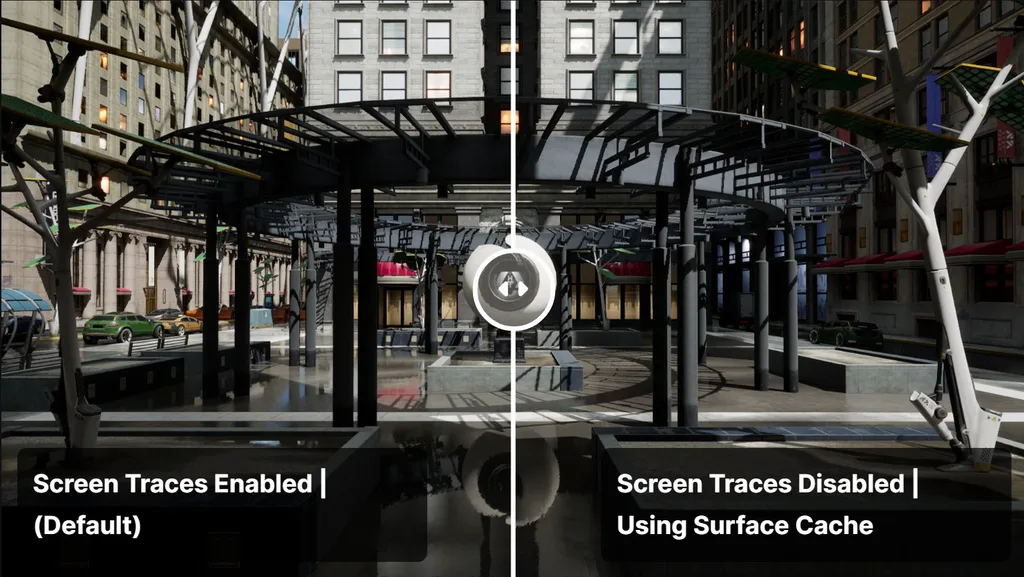
What we specifically like here is that Lumen starts cheap and gets more expensive only when it has to. It first traces against what’s already visible on screen (Screen Tracing), then falls back to a broader scene representation and ray tracing when the screen doesn’t have enough information to resolve a bounce. Underneath that, Lumen builds a simplified version of the world called the Lumen Scene, made up of surface caches that store material and lighting data so the engine doesn’t have to re-trace every surface from first principles every frame.
Teams choose between software ray tracing (built on distance fields, lighter on hardware, common on consoles) and hardware ray tracing (more accurate, more demanding, typically reserved for high-end PC and next-gen console targets). The results depend on scene composition, material properties, geometry density, view distance, and the tracing method selected, so two projects running Lumen can look and perform very differently depending on those choices.
A useful way to picture the pipeline: direct light hits a surface, the surface’s material and geometry determine how that light scatters, the scattered light becomes bounce lighting and reflections, and all of it lands in the final frame the player sees. A diagram of that chain works well here for readers who think visually.
What Lumen can improve in a game
Lighting is often the difference between a level that looks finished and one that looks like a work in progress. Lumen’s dynamic approach changes several things at once for a production team:
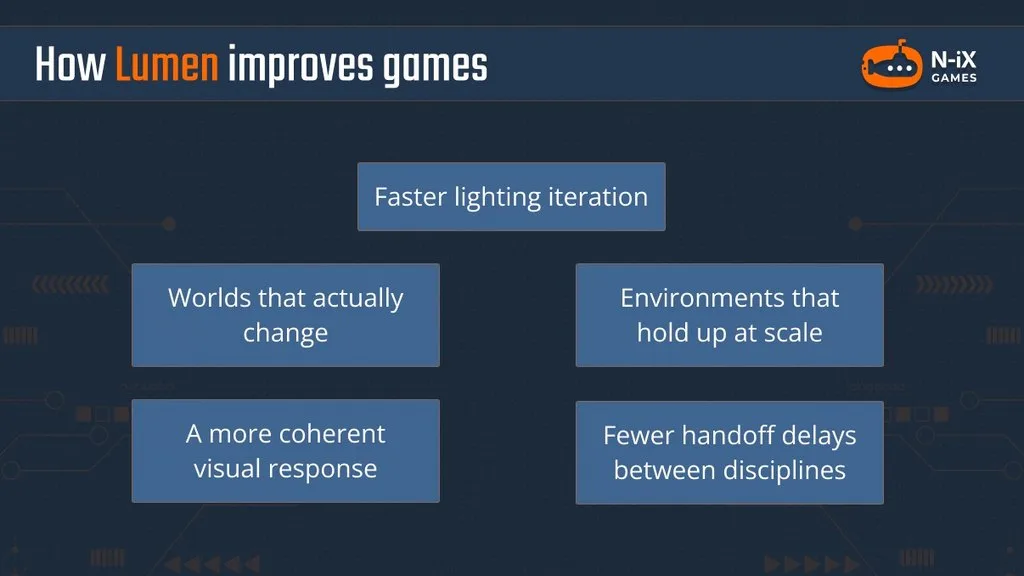
- Faster lighting iteration. Lighting, materials, and geometry can change without a static-lighting bake cycle, which shortens the loop between an artist’s change and seeing the result.
- Worlds that actually change. Time-of-day systems, weather, destructible environments, and moving light sources all stay lit correctly without per-state lightmaps.
- A more coherent visual response. Indirect light, emissive contribution, sky lighting, and reflections update together, so a scene doesn’t have one system reacting to a change while another stays frozen.
- Environments that hold up at scale. Realistic interiors, open worlds, cityscapes, and atmosphere-driven horror or sci-fi scenes benefit from lighting that reads correctly at both small and large scale.
- Fewer handoff delays between disciplines. Environment artists, technical artists, lighting artists, and programmers can work on the same dynamic space without waiting on a bake to see the combined result.
Fortnite Battle Royale Chapter 4 is a useful reference point, not because every project needs Fortnite’s scale, but because of the constraint the Epic team was working under. The game targets 60 fps on consoles, leaving only about four milliseconds of frame budget for both global illumination and reflections combined, a budget some triple-A titles spend on reflections alone, according to Epic’s own account of the Chapter 4 rendering work.
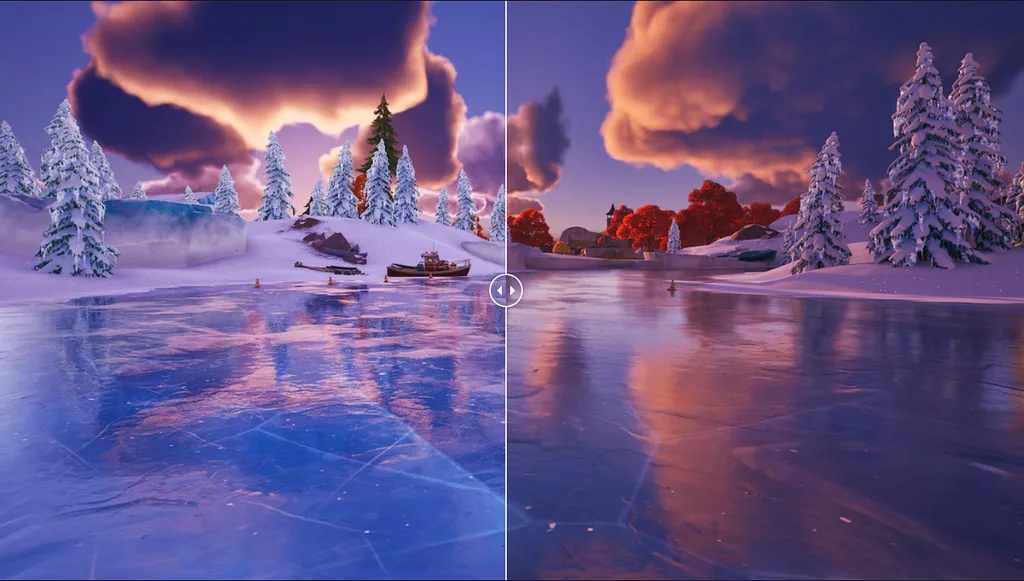
As one framing worth keeping in mind for planning purposes: Lumen can reduce iteration friction, but it does not remove the need for lighting direction, material discipline, scene budgets, and target-platform profiling.
How Lumen works with Nanite and Virtual Shadow Maps
Lumen, Nanite, and Virtual Shadow Maps get mentioned together often enough that it’s easy to assume they’re one bundled feature. They aren’t. Each solves a separate rendering problem, compiled in the table below.
| UE5 technology | Primary responsibility | What it enables |
|---|---|---|
| Lumen | Dynamic global illumination and reflections | Indirect light, color bleed, and reflections that respond to a changing scene. |
| Nanite | Virtualized geometry rendering | Extremely detailed assets, high object counts, and automatic level-of-detail management. |
| Virtual Shadow Maps | Dynamic shadow rendering | Consistent, high-resolution shadows for detailed assets and large, dynamically lit scenes. |
Lumen doesn’t make geometry render faster, and it doesn’t generate every shadow in a scene. Nanite doesn’t calculate indirect light or reflections. Virtual Shadow Maps don’t replace global illumination. Each has its own job: Nanite manages what’s visible, Virtual Shadow Maps calculate the direct-light shadows cast by that geometry, and Lumen works out how the light bouncing off it makes the space feel connected.
For a deeper look at UE5’s geometry system, see our overview of Nanite in Unreal Engine.
Picture a detailed medieval hall built with Nanite-enabled stonework, statues, and debris. Virtual Shadow Maps resolve the sharp direct shadows cast by torches and windows. Lumen then works out how that light bounces off the walls and floor, plus the reflections it produces on suitable materials. Virtual Shadow Maps are designed to work alongside Nanite, Lumen, and World Partition specifically for this kind of detailed, dynamically lit environment. Epic also notes that any project using Nanite needs either Movable Lights or Virtual Shadow Maps enabled.
The practical takeaway: this combination supports ambitious visual targets, but it raises the stakes on early rendering-budget decisions. Testing representative scenes, lighting density, and geometry distribution against target hardware before content production scales up saves far more time than fixing it after the fact.
Plan Lumen around your performance budget
Lumen’s cost is not fixed.
It scales with frame-rate target, platform, scene scale, and how much of the screen is covered by reflective or geometrically dense material.
Epic’s current guidance lays out different Lumen budgets depending on target frame rate: the Epic scalability level targets 30 fps, while the High level targets 60 fps, both measured at 1080p internal resolution and upscaled with Temporal Super Resolution, according to Epic’s Lumen Performance Guide. Hardware ray tracing improves quality on supported hardware but comes with its own cost profile and scene-optimization requirements; software ray tracing remains the more portable option when hardware ray tracing isn’t a realistic target.
Highly reflective scenes, heavy translucency, dense overlapping geometry, and long view distances all demand extra attention during optimization. AMD’s Unreal Engine performance guide is a useful independent reference here: AMD’s own testing found that enabling stochastic interpolation in Lumen’s screen probe gather pass produced roughly a 30% performance gain in that pass specifically, with limited perceptible quality loss. That number applied to AMD’s tested scenes and hardware. It’s a good illustration of where Lumen’s cost tends to concentrate, not a guarantee of the same gain on every project.
Validating performance means testing worst-case scenes. Useful tools for that work include Unreal Insights, the GPU Visualizer (ProfileGPU), Stat GPU, and RenderDoc for deeper frame analysis.
Is Lumen the right choice for your project?
| Project characteristic | Lumen fit |
|---|---|
| Dynamic day-night cycles, weather, or destruction | Strong fit |
| High-end PC or current-gen console targets | Strong fit |
| Large, detailed environments that must stay visually consistent | Strong fit |
| Lower-end hardware or limited rendering headroom | Consider alternatives |
| Locked, very high frame-rate requirements with limited GPU margin | Consider alternatives |
| Mostly static environments with lighting that rarely changes | Baked lighting may suit better |
Building a game with Unreal Engine with N-iX Games
Adopting Lumen is not only a rendering-settings decision. It touches environment production, lighting workflow, geometry strategy, materials, and platform optimization all at once.
N-iX’s Unreal Engine developers, technical artists, and rendering specialists help studios work out whether Lumen fits a given project, configure an efficient UE5 rendering pipeline around it, and optimize visually demanding environments for the target platforms that matter. If your team is weighing Lumen against a baked-lighting approach, or already running into frame-budget pressure with it, our Unreal Engine team can help you assess the trade-offs and get the pipeline right before it becomes a late-stage fix.