Every environment artist who has worked in Unreal Engine has run into the same wall. A gorgeous ZBrush sculpt or photogrammetry scan looks incredible in the source app, then has to be decimated, retopologized, and baked into normal maps before it can survive inside a real-time scene. Nanite removed that wall, and it’s a big part of why so many studios have rebuilt their art pipelines around Unreal Engine.
This article covers what Nanite is, the features and mechanics behind it, where it earns its keep in production, where it still falls short, and what the next iteration, informally called Nanite v2, is expected to add.
What is Nanite in Unreal Engine?
Nanite is Unreal Engine’s virtualized geometry system.
Instead of forcing artists to manually reduce polygon counts and build a chain of level-of-detail (LOD) meshes for every asset, Nanite lets the engine choose an appropriate level of geometric detail based on how much of the surface is visible on screen. Epic Games describes this as a system built to render pixel-scale detail and high object counts while doing work only on the detail that’s visible.
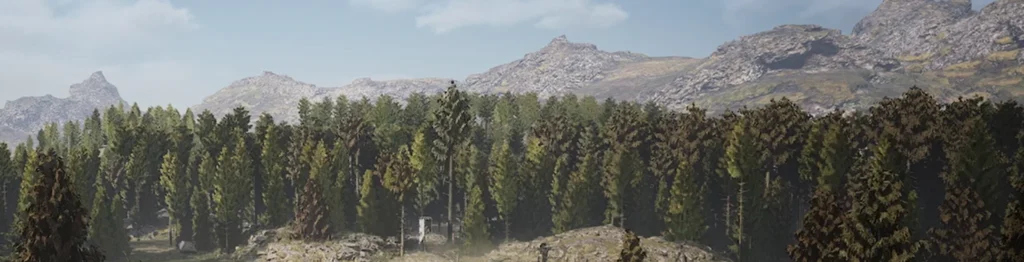
In practice, this means an artist can import a high-resolution sculpt close to the way it left ZBrush or a scanning rig, enable Nanite on it, and drop it straight into a scene, sometimes with millions of triangles, with far less of the traditional performance cost. There’s no manual decimation pass, no separate LOD chain to build and maintain, and no juggling multiple mesh versions across a project.
For teams new to the engine, this is one of the biggest changes in how static meshes are handled, and it is worth understanding before moving on to anything more technical.
Core Nanite features
Nanite isn’t one trick; it’s a set of connected capabilities that together change how an environment gets built.
- Virtualized geometry. Nanite treats mesh data less like a fixed asset and more like a resource that gets streamed and rendered on demand, similar in spirit to how virtual texturing handles image data.
- Automatic detail handling. Level of detail is managed automatically, so artists stop hand-building LOD chains for every static mesh in a scene.
- High-density assets in real time. Meshes that would have crushed frame rate a generation ago – dense rock walls, detailed statues, full ZBrush sculpts – can now sit in a live scene.
- Better scaling for large environments. Instance counts and triangle budgets that used to force hard trade-offs now scale far more gracefully, which is exactly why open-world and environment-heavy projects have adopted Nanite so quickly.
A useful way to see how these features hold up against the traditional static mesh workflow is side by side.
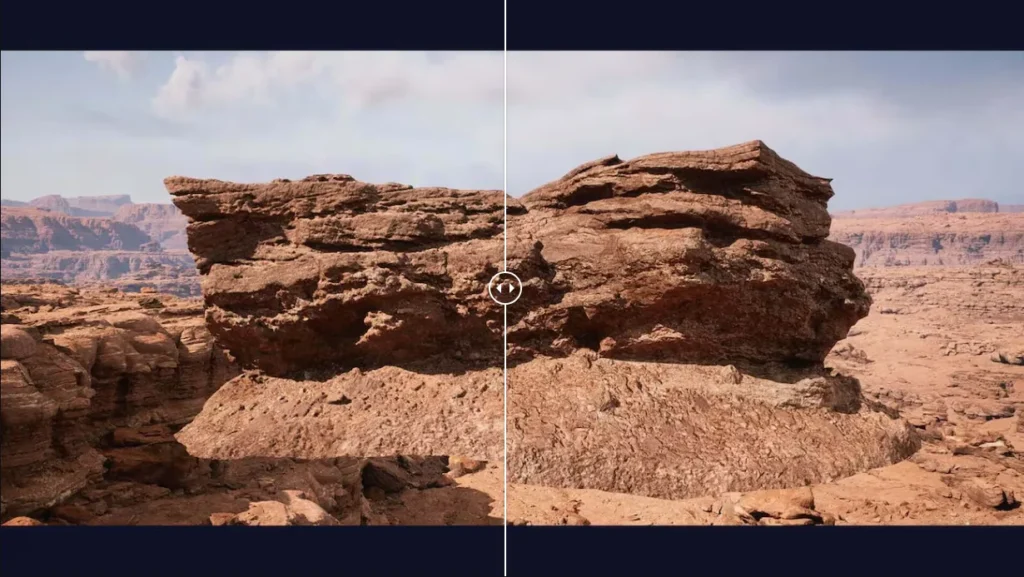
Nanite versus traditional static mesh workflow
| Aspect | Traditional static mesh | Nanite-enabled mesh |
|---|---|---|
| LOD creation | Manual, multiple versions per asset | Automatic, handled at render time |
| Source detail | Reduced before import | Can stay close to sculpt or scan resolution |
| Draw calls | Scales with instance count | Runs through its own dedicated rendering pass |
| Memory behavior | Full mesh resident in memory | Streamed on demand, only visible detail loaded |
| Best suited for | Simple props, deforming or small-scale meshes | Static environments, props, high-instance-count scenes |
What UE5 Nanite adds for production teams
Beyond the raw technical feature set, UE5 Nanite gives teams a more predictable production rhythm. Asset budgets stop being a constant negotiation between the art director and the engineering lead, because a large share of the old optimization tax has moved into the engine itself.
How Nanite works, at a high level
Nanite’s approach starts at import. Rather than treating a mesh as one solid block of triangles, Unreal Engine breaks it down during import into hierarchical clusters of triangle groups. Each cluster can be swapped for a simpler or more detailed version depending on how close the camera sits to it.
At render time, Nanite streams in only the clusters that are actually visible, at the level of detail the screen resolution calls for, and stitches them together without visible seams between neighboring clusters. This is why Epic recommends solid-state drives for any project leaning heavily on Nanite: the system depends on being able to pull mesh data from disk quickly and on demand, rather than holding every possible LOD version in memory at once.
The practical takeaway for a technical director is simpler than the underlying engineering:
Nanite focuses rendering effort on what the player can actually see, and skips the cost of full-detail rendering everywhere else.
That’s the core trade Nanite technology makes, and it’s why the system pairs so well with dense environment art and large instance counts, and rather less well with anything that needs heavy runtime deformation.
Benefits of Nanite for game teams
For studios that have adopted it, the benefits tend to show up less in any single dramatic moment and more in the day-to-day rhythm of production.
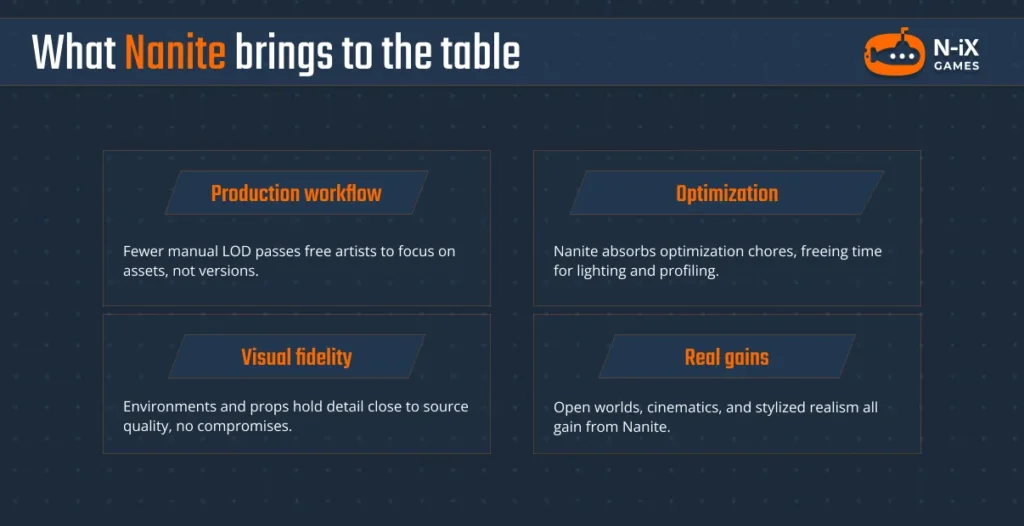
- Faster production workflow. Fewer manual LOD passes means art teams spend more time on the assets themselves and less time managing versions of them.
- Less time on optimization chores. Nanite technology absorbs a chunk of the work that used to sit with technical artists, freeing that time for higher-value tasks like lighting, material work, or performance profiling elsewhere in the pipeline.
- Better visual fidelity for static content. Environments, props, and architectural meshes can hold detail close to source quality without the usual compromises.
- Real gains for specific project types. Open-world games benefit from the instance-count improvements, cinematic content benefits from source-quality geometry, and stylized-realism projects get a cleaner path from concept art to in-engine asset.
Where Nanite still falls short
None of this makes Nanite universal, and any credible account of the technology needs to say so plainly. The system was built around static geometry, and that origin still shows in three recurring places: deforming assets, foliage, and shader cost.
1. Deforming assets
Deforming assets are the clearest limit. Nanite has limited support for mesh deformation: rigid transforms work fine, but morph targets aren’t supported, and World Position Offset, the technique typically used for wind or cloth movement, comes with real constraints around cluster culling.
2. Foliage edge cases
Foliage sits in a similar spot. Nanite foliage support has expanded through instancing, voxelization, and assemblies, but getting dense, animated vegetation looking right still takes careful tuning of settings like WPO disable distance and material blend mode, something artists working with Nanite foliage in production have documented in detail.
3. Material and shader cost
Nanite supports opaque and masked blend modes, is limited in supporting mesh decals, and can produce artifacts with certain custom material expressions. These are boundaries to design around, not reasons to avoid the system: Nanite works best when applied to the geometry types it was actually built for.
What Nanite v2 is expected to bring
Epic hasn’t published a locked feature list for the next major step in Nanite’s development, informally referred to across the industry as Nanite v2. The technology is expected to arrive as part of Unreal Engine 6. Everything below should be read as a well-sourced expectation rather than a shipped feature.
The direction is fairly consistent across what Epic and industry coverage have signaled so far:
- Broader geometry support, extending Nanite meaningfully into animated and skeletal meshes rather than treating them as an edge case.
- Smarter streaming and memory behavior, building on Nanite’s existing on-demand approach to further reduce VRAM pressure on dense scenes.
- Better profiling and debugging tools, giving technical artists clearer visibility into where Nanite cost is actually going in a frame.
- Tighter integration with other Unreal systems, particularly Lumen, which is getting its own parallel upgrade often referred to as Lumen 2.0.
- Improved scalability and fallback behavior, so projects targeting a wider spread of hardware have fewer hard cutoffs to design around.
Some of this groundwork is already visible in current Unreal Engine releases. Nanite Skeletal Mesh support and expanded Nanite Foliage tooling already ship in recent 5.x builds, which suggests Nanite v2 is less a rewrite and more a maturing of paths Epic has already opened.
What this means in practice for production teams
None of this changes what a studio should do this year. Teams currently in production should keep building on UE5 Nanite; the workflows being learned now carry forward directly, since Epic is extending rather than replacing these systems.
What changes is the calculation for studios starting pre-production on longer-horizon projects: fewer workarounds for animated geometry, fewer special cases for foliage-heavy environments, and a more consistent set of rules for scaling a scene up or down across hardware tiers. Teams care about this less because of any single feature and more because it means less time spent designing around exceptions, and more time spent building the game.
Planning your pipeline around Nanite with N-iX Games
Nanite is a foundational piece of how Unreal Engine handles geometry today. It changed the math on manual LOD work, opened the door to film-quality source assets in real-time scenes, and set a direction that Epic has kept building on release after release. Nanite v2 is expected to close some of the gaps that remain around animated meshes and dense foliage, without asking teams to abandon what they’ve already built.
Studios planning content pipelines now have a reasonable basis for that planning: invest in Nanite workflows on UE5 today, and expect that investment to carry forward rather than get replaced.
If your team is scoping a project around Unreal Engine and wants a technical partner who has already put these systems through production, N-iX Games’ Unreal Engine development team can help you plan a pipeline that holds up as the technology keeps moving. Contact us today to see how we can help future-proof your Unreal Engine production pipeline while reducing technical risk from day one.