Choosing Unity vs Unreal in 2026 isn’t really about picking the “best” game engine. Both platforms are mature, full-scale ecosystems that offer everything from visual scripting and multiplayer systems to high-end rendering and physics. Their difference lies in philosophy, workflow, scalability, and long-term production strategy.
Our studio has extensive experience in Unreal Engine and Unity development, using both engines for our own projects and in collaboration with recognized game companies. We can say with confidence that both engines are excellent tools. Year after year, they grow more capable, more specialized, and more accessible. Each engine supports outstanding games, and the better fit often comes down to the specifics: your team, your project goals, your experience, and your target platforms.
Here’s a quick snapshot of what each engine brings to the table:
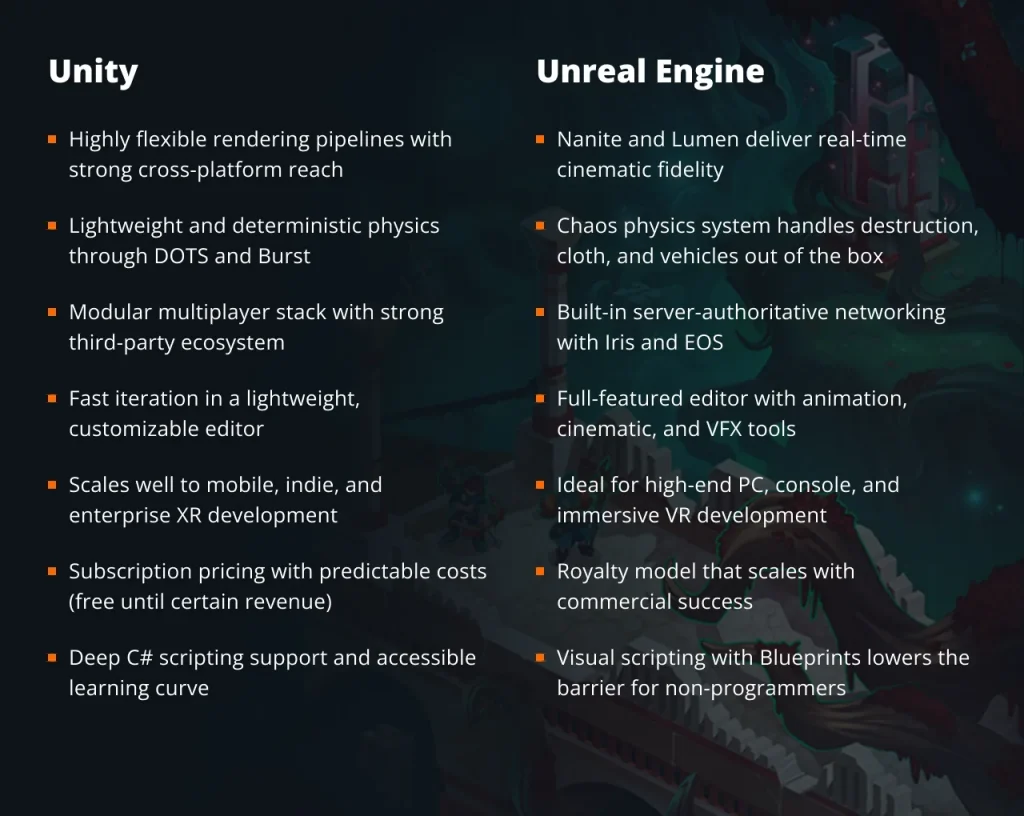
The next sections explore each of these areas in more detail, helping you decide which engine best suits your project in 2026.
Unity vs Unreal graphics and visual quality
In any Unity vs Unreal comparison, graphics are somehow always at the forefront. Both engines deliver high-end visuals across PC, console, and mobile. The difference is how they manage detail, lighting, and performance. Unreal Engine prioritizes cinematic realism with systems designed to handle massive scenes and dynamic lighting by default. Unity focuses on flexibility, giving developers tighter control over how visuals scale across hardware.
When deciding between Unreal or Unity, the target platform matters. Unreal fits projects aiming for high-end realism on powerful hardware. Unity is often the better choice for teams shipping across a wide performance range.
Unity
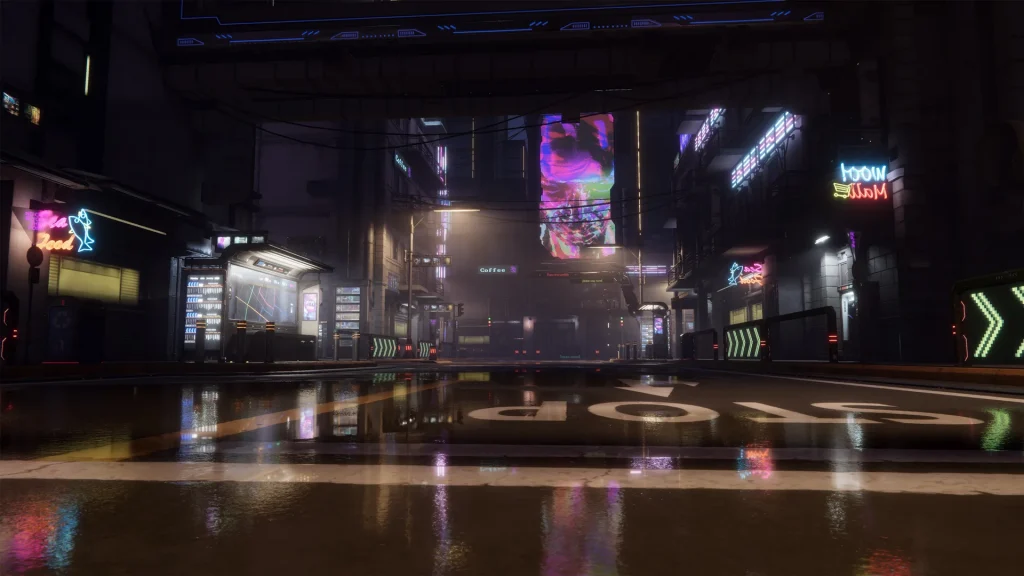
Unity 6 builds its rendering around the Scriptable Render Pipeline. This allows developers to tailor how scenes are rendered rather than relying on a fixed pipeline. The Universal Render Pipeline is optimized for cross-platform projects and now handles complex lighting more efficiently, even on mobile devices. The High Definition Render Pipeline targets high-end visuals while sharing a unified backend, making it easier to scale projects across platforms.
Performance improvements focus on reducing CPU bottlenecks. The GPU Resident Drawer shifts draw call management to the GPU, helping dense scenes run more smoothly. Spatial Temporal Post Processing improves image quality on lower-end hardware by reconstructing higher-resolution frames from lower-resolution renders.
For lighting, Adaptive Probe Volumes automate much of the global illumination setup in large environments. This reduces manual work while maintaining natural lighting results. In short, Unity emphasizes scalable quality and practical performance control.
Unreal Engine

Unreal Engine 5 continues to push visual fidelity with Nanite and Lumen. Nanite allows artists to import highly detailed models without manually reducing polygon counts. The engine streams only the detail needed for each frame, maintaining performance while preserving fine geometry.
Lumen provides fully dynamic global illumination and reflections. Lighting reacts in real time without baking, which simplifies workflows for large or changing environments. Recent updates improve hardware ray tracing performance and support large numbers of dynamic lights in a single scene.
Temporal Super Resolution maintains sharp output on high-resolution displays while rendering internally at lower resolutions.
Overall, Unreal delivers high-end realism with minimal compromise on powerful hardware, while Unity provides adaptable systems suited for a broader range of devices.
Physics and simulation
Both engines support realistic movement and interaction, but their structure differs. Unreal provides a tightly integrated system designed for cinematic effects and destruction. Unity offers multiple physics paths, giving developers more control over performance and determinism, especially in multiplayer or mobile projects. In this case, choosing Unreal or Unity depends on whether a project needs built-in large-scale destruction or a scalable, data-oriented simulation approach.
Unity
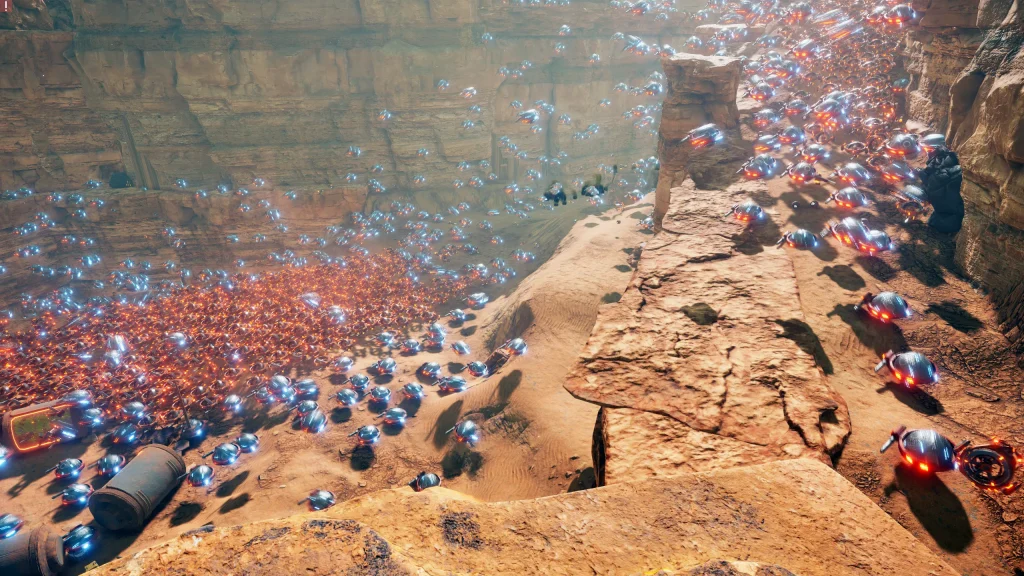
Unity 6 supports two main ECS-based physics options through DOTS. Unity Physics is lightweight, deterministic, and optimized with the Burst compiler and C# Job System. It is well-suited for multiplayer games where synchronization and predictable behavior are critical. Its efficiency also makes it practical for mobile devices.
Havok Physics for Unity targets projects requiring more complex or large-scale rigid body simulations. It offers greater stability for scenes with many interacting objects. Since both systems share the same data format, teams can switch between them without rebuilding assets.
Unity also maintains its traditional PhysX-based workflow for GameObject projects and a dedicated 2D physics engine for side scrollers and platformers.
Unreal Engine
Unreal Engine uses the Chaos Physics system as a unified framework for rigid bodies, cloth, vehicles, and destruction. Chaos Destruction enables real-time fracturing with detailed control over how objects break under stress. This makes large-scale environmental damage practical in gameplay.
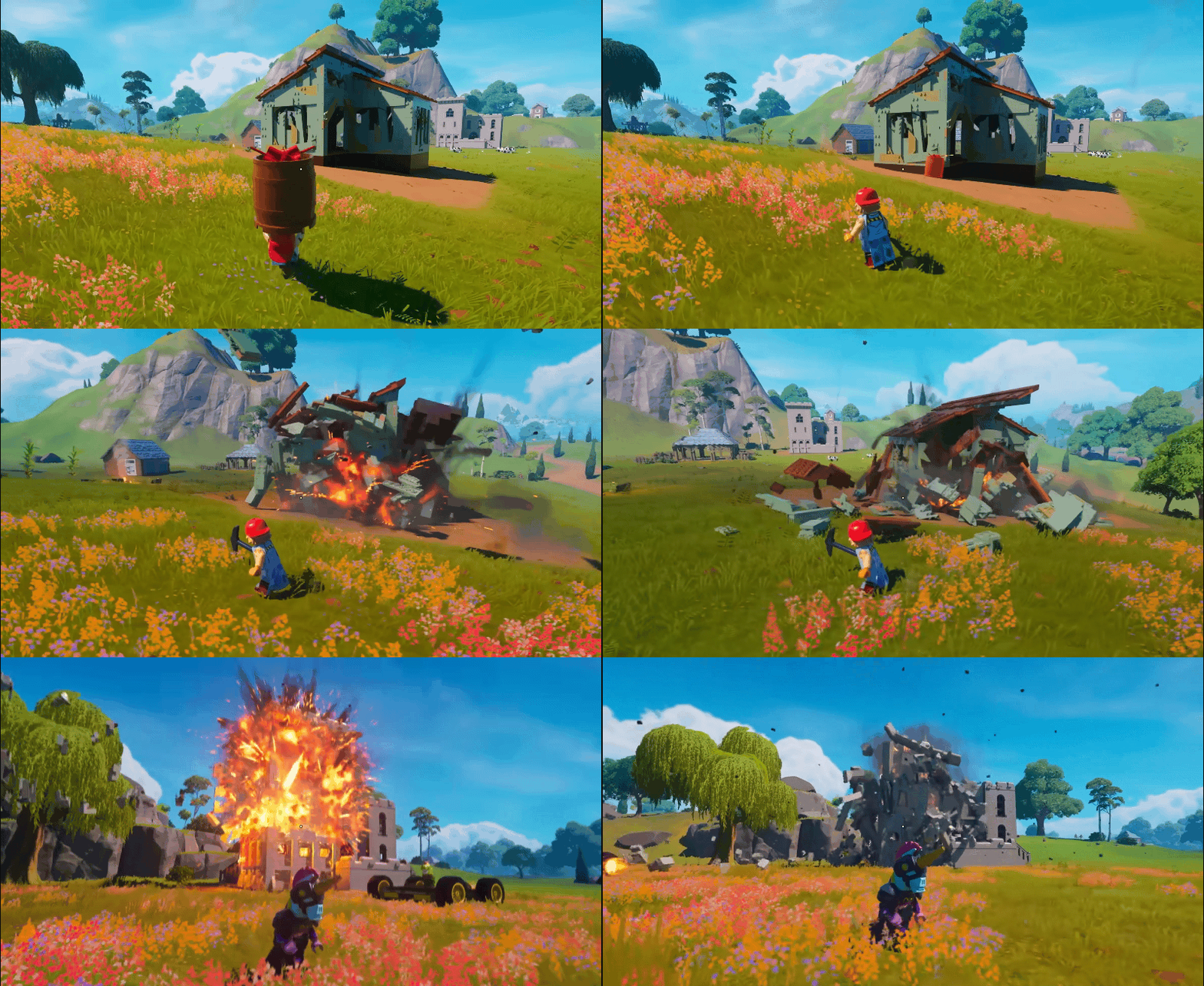
Chaos Cloth integrates directly with animation systems so clothing reacts naturally to character movement. Chaos Vehicles supports detailed vehicle setups for racing or open-world games.
For large simulations and crowds, Unreal uses MassEntity, a data-oriented framework designed for high concurrency.
In the Unreal vs Unity physics comparison, Unreal offers a cohesive, production-ready system for visually complex projects, while Unity provides modular solutions that scale efficiently across platforms.
Unreal Engine vs Unity multiplayer approach
Both have a decent support of support online play, but they approach networking very differently. Unreal provides a built-in server-authoritative replication system designed for competitive titles. Unity offers official frameworks plus the flexibility to integrate third-party networking stacks.
Unity
The Bazaar, a Unity-based asynchronous PVP autobattler.
Unity’s multiplayer ecosystem includes Netcode for GameObjects and Netcode for Entities. Netcode for GameObjects is accessible and suited for small to mid-sized projects. It simplifies syncing players, objects, and game states.
Netcode for Entities targets high-concurrency games using ECS architecture. It handles large numbers of networked entities with lower CPU overhead.
Unity also introduces Distributed Authority for client-hosted sessions, reducing reliance on dedicated servers for smaller games. Supporting services such as Relay, Lobby, and Matchmaker help manage connectivity and player grouping.
A key advantage of Unity is flexibility. Developers can integrate third-party solutions like Photon Fusion, Mirror, or FishNet if project requirements exceed built-in tools.
Unreal Engine
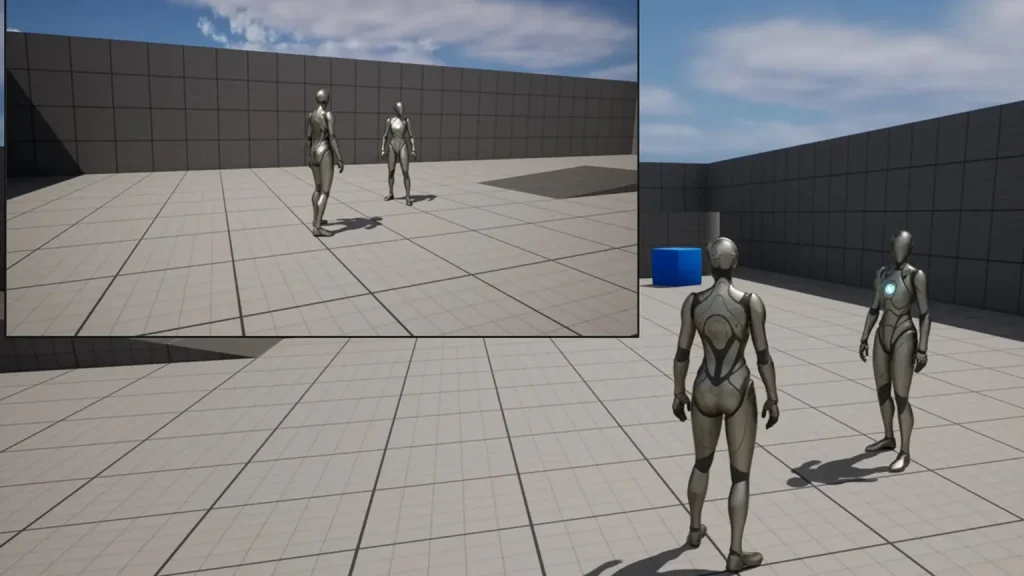
Unreal Engine’s networking is built around server-authoritative replication. Core systems like Actor Replication and Character Movement are tightly integrated and designed for fast-paced multiplayer games.
The Iris replication system improves efficiency and scalability, allowing more actors and players to be synchronized simultaneously. Epic Online Services provides integrated tools for matchmaking, lobbies, and cross-platform support.
Unreal’s networking has a steeper learning curve, but it offers strong built-in profiling and bandwidth analysis tools.
In the Unreal vs Unity multiplayer comparison, Unreal delivers a deeply integrated, AAA-ready networking model, while Unity provides modular tools that allow teams to tailor their online architecture.
Tooling and editor workflow
Strong tools shape strong teams. Editor workflow is less about features on paper and more about how fast teams can iterate, test, and ship. Both engines now integrate AI-assisted workflows that reduce repetitive work and help developers stay focused on design and problem solving.
Unity emphasizes speed, modularity, and iteration stability. Unreal focuses on keeping production inside the engine with tightly integrated tools for art, code, and world building.
Unity
Unity 6 prioritizes iteration speed and long-term stability through Unity Core Standards, which ensures packages are verified and production ready. The move to CoreCLR modernizes the runtime, improving C# support and significantly reducing compile and play mode wait times. That translates directly into faster daily iteration.
AI tools are now built into the editor through Unity Assistant and Generators. These can automate repetitive tasks such as updating components across a scene, generating placeholder assets from text prompts, or suggesting code changes based on project context. The goal is practical time savings rather than novelty.
The Platform Toolkit simplifies cross-platform development. Developers can implement features like achievements once, and Unity adapts them for each platform automatically.
Unreal Engine
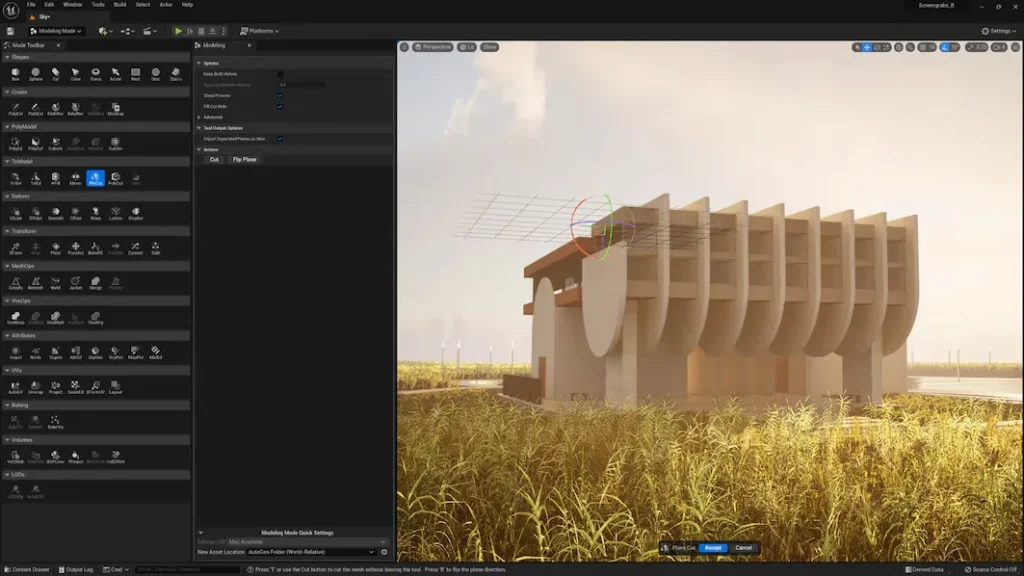
Unreal Engine 5.6 positions the editor as a complete production environment. Asset creation, level design, animation, and cinematic tools live in one place, reducing the need to jump between external software.
The redesigned Content Browser and Viewport tools improve asset organization and scene editing. MetaHuman integration allows teams to create and animate high-fidelity digital characters directly inside the engine.
For developers, the Epic Developer Assistant provides in-editor documentation support and C++ generation. Blueprints remain one of Unreal’s strongest advantages, enabling rapid prototyping and complex logic without writing code.
For large worlds, tools like World Partition and fast geometry streaming help manage massive environments efficiently.
Unity vs Unreal for VR and AR
XR development has matured into a serious production field widely utilized by businesses. In Unity vs Unreal comparisons, both engines are major playerss. Unity is widely used for standalone headsets and cross-platform AR. Unreal is often chosen for high-end, visually demanding VR experiences.
Unity
StatusPRO VR football game visualizer built on Unity
Unity remains a leading engine for standalone VR and AR devices. Its lightweight architecture and Universal Render Pipeline are well-suited for mobile chipsets found in untethered headsets.
Unity 6 adds features like improved hand tracking support and visibility mesh occlusion, which reduce GPU overhead in VR scenes. These optimizations help maintain stable frame rates on standalone hardware.
AR Foundation provides a unified API for building AR apps across iOS and Android. This makes Unity particularly strong for enterprise applications such as training simulations, retail visualization, and industrial digital twins.
Support for WebGPU also opens opportunities for browser-based immersive experiences, which Unreal lacks.
Unreal Engine
Switchback VR, an Unreal-based horror game for Sony PlayStation VR2
Unreal Engine targets high-end VR experiences where visual fidelity is the main point. With Nanite and Lumen, Unreal can render detailed, realistic environments for PC/console-tethered headsets.
Support for OpenXR ensures compatibility across devices, and features like Stereo Layers and Application SpaceWarp help maintain performance in demanding scenes.
Unreal is also widely used in virtual production, allowing directors and designers to visualize environments in real time. In engineering and automotive visualization, its accurate material and lighting systems support high-end simulations and digital showrooms.
Unreal sets the benchmark for visual immersion on powerful hardware, while Unity leads in scalable, standalone, and enterprise-focused XR development.
Unity vs Unreal pricing
Cost structure can influence engine choice as much as features. Unity uses subscription tiers with predictable costs. Unreal follows a royalty-based approach for games, with no upfront license fee. So, your decision between Unreal or Unity often depends on revenue expectations and budget strategy.
Unity
Unity operates on a subscription model. Unity Personal is free for individuals and small teams earning under 200,000 dollars annually, with no mandatory splash screen.
Unity Pro is required above that threshold and is priced per seat annually. Enterprise plans target large companies and include expanded support and source code access.
For studios expecting strong sales, Unity’s fixed subscription can provide predictable budgeting since fees do not scale with game revenue.
Unreal Engine
Unreal Engine is free to use upfront and provides full source code access. For games, Epic charges a 5% royalty only after the first 1 million dollars in gross lifetime revenue, which lowers the barrier for indie teams and early-stage projects. Since 2025, Epic’s Launch Everywhere with Epic program has reduced the royalty to 3.5% if the game launches on the Epic Games Store at the same time as, or before, other storefronts like Steam.
For non-game industries such as film or architecture, Unreal uses a seat-based annual license for companies above a revenue threshold.
Unreal minimizes upfront cost and scales with success, while Unity emphasizes predictable subscription expenses.
Unity or Unreal for beginners
The honest answer is that neither engine is truly “easy.” Both are professional tools built for serious production. Developers often give the same advice: learn programming fundamentals first. Understanding how basic applications and simple games are structured makes either engine far less intimidating.
That said, the experience differs depending on your background and goals.
Unity
Unity is generally considered the more approachable starting point, especially for programmers. It uses C#, which is widely viewed as easier to learn and more consistent than C++. Its syntax is clean, modern, and supported by strong development tools. Unity’s use of C# is also fairly standard, so prior C# experience transfers well.
For beginners, Unity often feels like a sandbox. You can open it, attach scripts, move objects, and see results quickly. The editor is less overwhelming at first glance, and the volume of tutorials, community forums, and templates lowers the barrier to entry. This is one reason Unity remains popular for 2D games and stylized indie projects.
However, Unity does not strongly enforce architecture patterns. As projects grow, teams must apply structure themselves. Without a solid understanding of design principles, larger games can become harder to manage and debug.
Unreal Engine
Unreal Engine has a steeper initial learning curve, particularly for programmers working in C++. Unreal’s C++ layer diverges from standard C++ conventions, relying on engine-specific containers and macros. This adds a retraining phase even for experienced developers.
For non-programmers, however, Unreal can feel surprisingly accessible. Blueprints allow designers to build interactive scenes and gameplay visually. Many beginners with no coding background can prototype functional 3D environments using Blueprints alone. This makes Unreal especially appealing for cinematic 3D projects.
Unreal also encourages structured design patterns. While this can feel restrictive early on, it often leads to more robust large-scale projects.
In the Unreal vs Unity learning comparison, Unity is typically easier for programmers and 2D creators, while Unreal can be more intuitive for visual thinkers building 3D worlds. Ultimately, the right choice depends on your background, discipline, and long-term goals.
Unity and Unreal development with N-iX Games
If you need support choosing, scaling, or delivering your Unity or Unreal project, N-iX Games team can help.
We work with both engines across mobile, console, PC, and XR, offering full-cycle development, co-development, and team augmentation. From prototyping to live operations, we build multiplayer systems, optimize for certification, and deliver high-quality visuals aligned with your production goals. Some clients come with a fixed Unity vs Unreal decision. Others need guidance choosing the right architecture. We provide both.
If you’d like to see how our services translate into shipped products, take a look at some of our past projects: